 CartoonVoice

Frequently asked questions
What is AI voice cloning in animation?
AI voice cloning creates a digital replica of a specific person’s voice by analyzing their speech patterns. It allows you to generate custom dialogue that sounds like a particular person, rather than using a standard preset voice.
Is our TTS API a voice cloning service?
No, CartoonVoice is not a voice cloning service. We provide eight licensed preset voices based on public-domain audiobook readings. We do not offer custom voice cloning, voice uploading, or voice design features for your specific characters.
How do synthetic voices differ from cloned voices?
Our synthetic voices are presets derived from licensed recordings (LibriTTS-R) and are not tied to a single specific individual’s unique identity. Cloned voices are custom-built to replicate a specific person’s voice, which we do not offer.
Can I use these voices for commercial cartoons?
Yes. The voices are based on LibriTTS-R (CC BY 4.0) and LibriVox public-domain readings. You can use the generated audio for commercial animation projects.
What languages are supported for voiceover?
We support 23 languages: Arabic, Chinese, Danish, Dutch, English, Finnish, French, German, Greek, Hebrew, Hindi, Italian, Japanese, Korean, Malay, Norwegian, Polish, Portuguese, Russian, Spanish, Swahili, Swedish, and Turkish. Any voice can speak any of these languages.
Do I need to pay for failed requests?
No. Failed requests are free. If synthesis fails, the charge is returned in full. You only pay for successful audio generation, ensuring you are not charged for errors or processing issues during your animation workflow.
How long does it take to generate audio?
Typical speed is roughly real time, about 25 characters per second. Short phrases take a few seconds. Requests are processed sequentially, so under load, a request may wait in a queue before generation begins.
Are the voices based on real people?
Yes, the voices are based on licensed recordings from LibriTTS-R, which uses readings from LibriVox public-domain audiobooks. They are presented as eight distinct presets rather than specific celebrity or actor clones.
Can I upload my own voice for cloning?
No. We do not offer custom voice cloning or allow you to upload your own voice. You must choose from our eight preset voices (Aria, Nova, Luna, Sage, Felix, Milo, Atlas, Orion) for your animation projects.
Is there a limit on characters per request?
Yes, each request supports up to 4096 characters of input text. For longer scripts, you should split the text into parts of this size and join the resulting audio files to create your final animation voiceover.
Do you offer SSML or emotion tags?
No, we do not offer SSML or emotion tags. Our API is a simple text-to-speech endpoint where you send text and receive audio. You control pacing and style primarily through the eight distinct voice presets and speed settings.
Can I stream the audio in real time?
No, we do not offer streaming, WebSocket, or real-time partial audio. The API returns the complete audio file after processing. You receive the full file via the response, suitable for downloading and integrating into your animation pipeline.
How do I top up my account balance?
Top up using USDT on the TRON network (TRC-20). The minimum top-up is $5, and credits are automatically added within minutes. We do not accept cards, PayPal, or subscriptions; balance does not expire.
Is there phone support for animation projects?
No, we do not offer phone support or live chat. Support is available via email only. We provide honest, specific assistance for your animation freelance needs through our email channel without the need for direct voice calls.
First request
curl
curl https://api.ph4apk.com/v1/audio/speech \
  -H "Authorization: Bearer $TTS_API_KEY" \
  -H "Content-Type: application/json" \
  -d '{"model":"tts-1","voice":"aria","input":"Hello from the API.","response_format":"mp3"}' \
  --output hello.mp3
Why Animation Freelancers Choose Synthetic Voice

Animation freelancers often spend days casting voice actors just to test a script. Synthetic voice presets let you skip that step entirely. Generate draft voiceovers in minutes, not days, so you can focus on storyboarding and timing rather than scheduling auditions.
Skip voice actor casting for drafts
Instead of waiting for availability, generate a voiceover instantly. Test character dynamics and pacing with eight distinct presets before committing to a human recording.
Iterate on script changes instantly
Rewrite a line? Regenerate the audio in seconds. Adjust timing or tone without rescheduling studio time or paying for additional recording sessions.
Keep production costs low
With pricing at $0.01 per 1,000 characters, you only pay for successful requests. No hourly studio rates or minimum booking fees mean your budget stays lean during the creative process.
How Our TTS API Works for Cartoons

Generating voiceovers for your animated shorts is straightforward. Send your script text via a simple POST request to our API endpoint, and receive an audio file ready for editing.
Our API accepts text up to 4,096 characters per request. For longer scripts, split the text into parts, generate each segment, and join the resulting audio files for your final animation.
Send text via simple POST request
Use the standard POST endpoint with a JSON body. Include your model, input text, voice selection, and preferred response format. Authentication is handled via a Bearer token in the header.
The request shape matches the OpenAI speech endpoint, so you can use the official OpenAI SDK by simply changing the base URL. This makes integration quick for existing projects.
- Endpoint: POST /v1/audio/speech
- Body: JSON with model, input, voice, format, speed
- Auth: Bearer token in header
Choose from 8 distinct preset voices
Select from eight licensed presets ranging from warm narrators to energetic promo styles. Each voice is based on recordings from LibriTTS-R and LibriVox, ensuring high quality without the cost of hiring actors for every draft.
Voices include Aria, Nova, Luna, Sage, Felix, Milo, Atlas, and Orion. You can adjust the speed between 0.25 and 4.0 to match the pacing of your animation scenes.
Receive audio in mp3, wav, opus, flac, or pcm
Choose your output format directly in the request. MP3 and WAV are common for editing, while Opus, FLAC, and PCM offer other compression or quality options.
Failed requests are free, ensuring you only pay for usable audio files. The audio is returned in the response body for immediate download or saving to your project pipeline.

Voices That Fit Your Animation Style

Choose from eight preset voices, all derived from licensed recordings, to match the tone of your animated scenes. Each voice offers a distinct character, allowing you to iterate quickly on script drafts without waiting for actor availability.
Since every generated file carries an inaudible watermark, you can clearly identify synthetic speech during review. This transparency helps maintain trust while you experiment with different vocal styles for your storyboards.
Warm narrators like Aria and Luna
Aria provides a clear, warm narration style perfect for explanatory segments or character intros. Luna offers a softer, storytelling tone ideal for emotional or dramatic scenes.
These voices help convey personality without the overhead of casting specific actors for every minor role in your animation pipeline.
- Aria: warm, clear narrator
- Luna: soft, storytelling
Energetic promo voices like Felix
Felix delivers an energetic, promo-ready tone suitable for high-energy sequences or commercial-style animated shorts. His delivery keeps the pace brisk and engaging.
Use Felix when you need to capture attention quickly, such as in title cards or action-oriented dialogue.
- Felix: energetic, promo
Calm instructional tones like Sage
Sage offers a calm, instructional voice that works well for educational animations or guide-style content. His neutral yet friendly tone ensures clarity without distracting from the visual narrative.
Pair Sage with simple scripts to keep the focus on your animation visuals rather than vocal performance.
- Sage: calm, instructional
Languages for Global Animation Projects

CartoonVoice supports 23 languages, from Arabic to Turkish, enabling you to localize animated shorts without hiring separate voice actors for each region. This broad coverage ensures your characters sound authentic whether they are speaking Mandarin, Hindi, or Swahili, streamlining the global distribution of your freelance projects.
Support for 23 major languages
Our API covers major global markets, allowing you to produce voiceovers in Arabic, Chinese, Danish, Dutch, English, Finnish, French, German, Greek, Hebrew, Hindi, Italian, Japanese, Korean, Malay, Norwegian, Polish, Portuguese, Russian, Spanish, Swahili, Swedish, and Turkish. Any voice preset can speak any of these languages, giving you flexibility in casting.
Automatic language detection via script
For efficiency, the API guesses the language from the script’s script (e.g., Latin characters default to English). This works well for monolingual drafts, saving you from manually specifying codes for every request, though you should set the language for non-English Latin text.
Explicit language setting for Latin text
If your text uses Latin script but is not English, you must set the language parameter. Without this explicit instruction, the system assumes English, which may result in an unnatural accent for languages like Dutch or Portuguese.
Pricing Built for Freelance Budgets

Animation production often involves multiple script revisions. With CartoonVoice, you only pay $0.01 per 1,000 characters, making it affordable to test dozens of voiceover variations without breaking the bank. Spaces and punctuation count as characters, so your budget is transparent and predictable.
There are no monthly plans or subscriptions. You simply top up your balance with USDT (TRC-20) and spend only what you need. This model fits freelance cash flow, allowing you to scale usage up or down based on project demands without fixed overhead.
$0.01 per 1,000 characters
Every character in your script counts toward the cost. This flat rate ensures that even long animated shorts remain cost-effective compared to hiring voice actors for every draft iteration.
- Text up to 4096 characters per request
- Spaces and punctuation count as characters
No monthly plans or subscriptions
Forget recurring bills. Your balance does not expire, so you can store credits for future projects. Start with a free $0.50 trial credit when signing up with Google, giving you about 50,000 characters to test the API before spending real money.
Pay only for successful requests
If synthesis fails due to server issues, you are not charged. Failed requests are refunded in full, ensuring you only pay for the audio files that actually get generated.
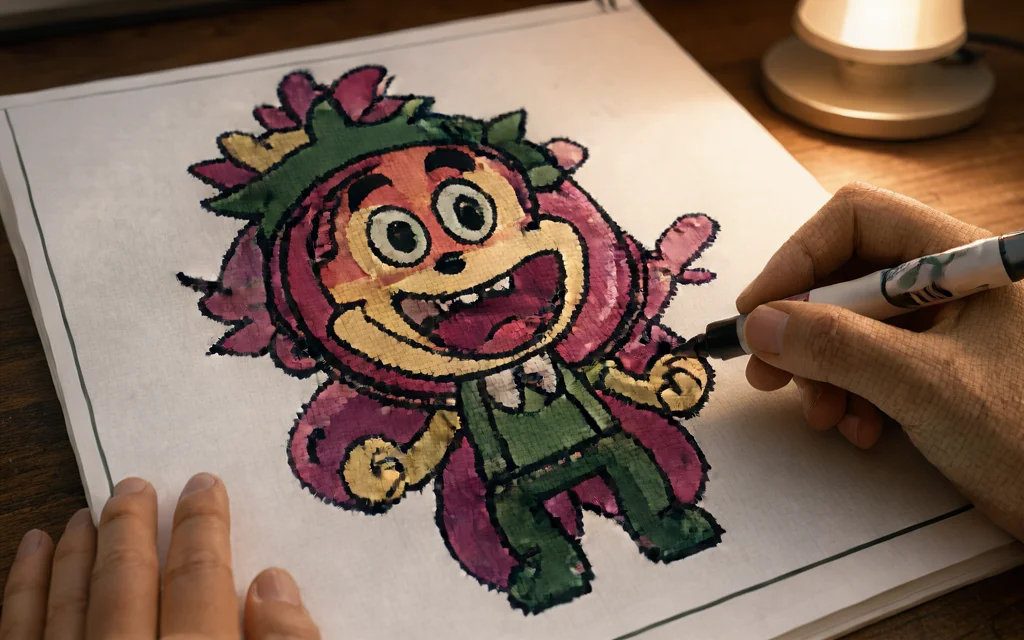
Voice Cloning vs. Synthetic Presets

Voice cloning typically means training a model on a specific person’s unique voice, often requiring significant data and processing. Our service uses fixed synthetic presets, meaning you select from eight distinct, licensed character voices rather than creating a custom clone.
Presets are faster and cheaper for animation drafts. You can switch from a warm narrator to an energetic promo voice instantly without waiting for new voice model training, allowing you to iterate on storyboards and scripts with minimal delay.
What AI voice clone means for animation
Cloning usually involves feeding a voice model hours of reference audio to replicate a specific speaker’s tone, pitch, and cadence. This process can be expensive and time-consuming, making it less suitable for rapid prototyping in freelance animation workflows where scripts change frequently.
Why presets are better for drafts
Our eight presets are ready to use immediately. You can test different vocal performances for the same script line in seconds, helping you choose the best fit for your character’s personality before committing to final production. This speed keeps your production cycle moving without the bottleneck of custom voice generation.
Presets are also more consistent. Our licensed presets deliver a uniform tone every time, ensuring your animated characters sound reliable and professional across all scenes.
Consent and licensing for synthetic voices
Our voices are based on licensed recordings from LibriTTS-R (CC BY 4.0) and public-domain audiobook readings from LibriVox. This provides a clear legal foundation for using these synthetic voices in your commercial animation projects.
While cloning often requires explicit consent from the voice source, our presets are pre-licensed.
Technical Basics for Animators

Animation freelancers can integrate CartoonVoice quickly by adjusting the OpenAI SDK’s base_url to https://api.ph4apk.com/v1 and supplying your API key. This allows you to use familiar tools while accessing our specific TTS endpoints without needing a custom library.
Long scripts exceed the 4096-character limit per request. You must split your text into chunks, send each separately, and join the resulting audio files. Keep in mind that generation is roughly real-time, so long scenes may take a few seconds to process.
Use the OpenAI SDK with our base_url
Point your OpenAI SDK’s base_url to https://api.ph4apk.com/v1 and pass your tts-... key via the Authorization header. This lets you use standard libraries to call the POST /v1/audio/speech endpoint, sending model, input, voice, and response_format in a JSON body.
You can generate audio for any supported voice preset. The API returns the audio file directly in the response, ready to be saved or streamed into your animation pipeline. No additional middleware or proprietary SDKs are required.
- Set base_url to https://api.ph4apk.com/v1
- Use standard OpenAI SDKs
- Include Authorization: Bearer tts-...
Handle text splitting for long scripts
Each request accepts up to 4096 characters of input text. For longer scripts, split the text into manageable parts, send them individually, and concatenate the returned audio files. This ensures consistent quality and avoids truncation.
Short phrases may take a few seconds to generate, while longer texts process at roughly real-time speed. Plan your workflow to handle these delays, especially if you are iterating quickly on storyboards.
- Max 4096 characters per request
- Split and join audio files
- Expect real-time generation speed
Understand rate limits and queue times
Each API key is limited to 60 requests per minute. New accounts start with a lower limit of 10 requests per minute until the first top-up is processed. Exceeding this limit may result in temporary errors.
Requests are processed sequentially. Under load, a request may wait in a queue, increasing total generation time. Plan your batch jobs accordingly to avoid delays during critical production phases.
- 60 requests/minute per key
- 10 requests/minute for new accounts
- Sequential processing may cause queuing
Data Privacy and Synthetic Watermarks

Animation freelancers need to know where their script drafts end up. We keep your input text strictly for the purpose of generating the audio file. It is not used to train our models or improve the engine, so your story ideas remain yours.
Input text is not used for training
Your script text is processed solely to create the requested audio. It is not fed back into the model for training purposes. This ensures that your unique dialogue and narrative choices stay private and are not repurposed for other clients.
Generated audio is not stored
The audio files returned in the API response are transient. We do not store the generated audio on our servers after delivery. Only the metadata required for billing—such as timestamp, character count, and status—is kept for your records.
Inaudible watermarks mark synthetic speech
Every audio file generated by our API contains an inaudible watermark. This signal marks the file as synthetic speech, which is useful for content identification. It helps platforms and collaborators recognize that the voiceover was produced by our TTS engine.

Get Started with Your First Voiceover

To start generating voiceovers, visit our /get-api-key/ page and sign in with your Google account. This grants you an immediate $0.50 trial credit, valid for 7 days, allowing you to test the API without a payment method. Accounts created with email and password start without this trial credit.
Once registered, you will see your unique API key, current balance, and a ready-to-use curl example on the dashboard. This setup lets you make your first synthesis request instantly, turning script text into audio files ready for your animation drafts.
Sign up with Google for trial credit
Signing up via Google on the /get-api-key/ page is the fastest way to begin. You receive $0.50 of credit (about 50,000 characters) immediately. This trial is valid for 7 days, giving you ample time to test voice quality and API integration without financial commitment.
Use the provided curl example
Your dashboard displays a ready curl example tailored to your account. Simply copy this command, replace the placeholder text with your script, and execute it. The API responds with the audio file directly, allowing you to verify output quality before integrating the POST request into your animation pipeline.
Remember that failed requests are free, so you can experiment with different voices and speeds without worrying about burning through your trial credit unnecessarily.
Export audio for your animation project
After receiving the audio file, you can immediately import it into your animation software. Whether you chose mp3 for web use or wav for higher fidelity, the file is ready for timeline syncing. Since input text is not used for training, your script remains private to your production.
You can continue iterating on your drafts by sending new requests with updated text. The synthetic watermark in the audio confirms it is generated speech, keeping your asset library clear and traceable.
Listen to the 8 voices
Each sample below was generated by this API from the same sentence. Create vibrant characters and engaging worlds that bring imagination to life through expressive animation and captivating cartoons.


23 languages
Any voice speaks any of these languages.
Sources and further reading
- Wikipedia
- Node.js documentation
- LibriTTS-R paper (arXiv 2305.18802)
- LibriTTS-R corpus (OpenSLR 141)
- openai-node on GitHub
- IETF RFC 7845: Ogg Opus
- Creative Commons Attribution 4.0
- TRON developer hub: TRC-20
- OpenAI API reference: create speech
- FFmpeg documentation
- LibriVox public-domain audiobooks
- Python documentation
